 Muster Drill
Documentation
How it works
In short
Your backup tool restores a copy into your AWS account. The connector you deployed tells Muster Drill, or Muster Drill finds the copy itself. Its checker, in Muster Drill’s own account, assumes the connector’s roles, waits until the copy is ready, runs the checks for the layers you turned on, compares the numbers with the last good drill, and keeps a dated record and report for you in the portal.
- The two halves
- A drill, step by step
- How a restore is found
- Waiting until the copy is ready
- What each result means
- Comparing with the last drill
- Writing back to AWS Backup restore tests
- Reports in the portal
- Other regions and recovery accounts
- What has run through the hosted service
The two halves
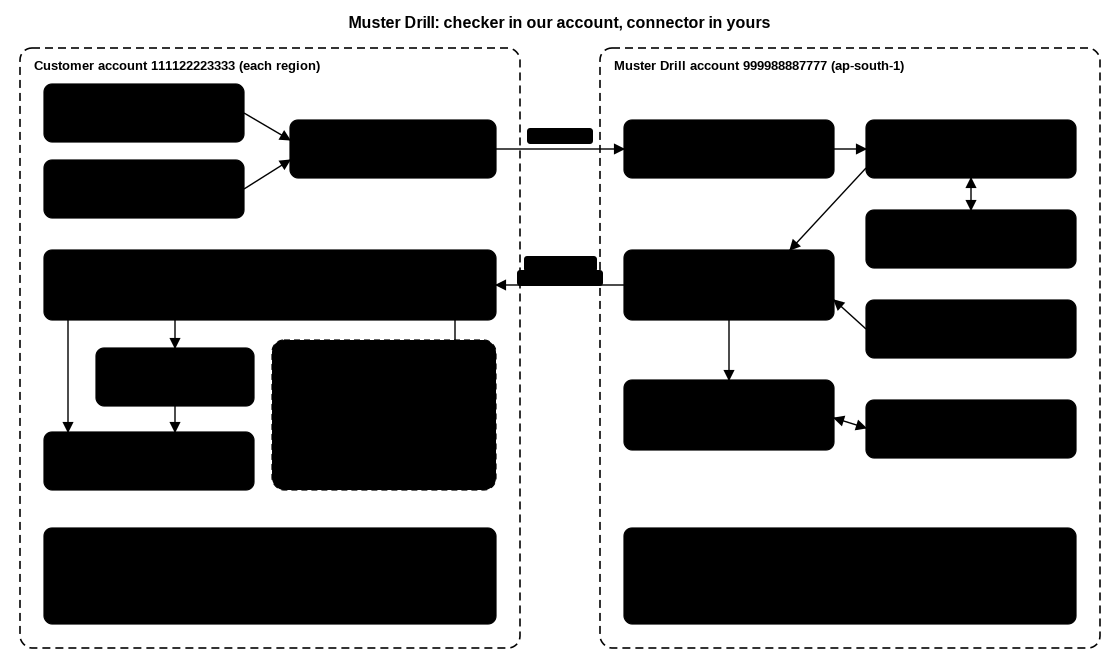
- In your account: the connector. One CloudFormation stack you deploy and can read. It creates the roles Muster Drill’s checker may assume, event rules that forward AWS Backup restore events (and, if you ask, your vendor’s create calls) to Muster Drill, and, only if you turn them on, the pieces that must run next to your data: two read-only server scripts as SSM documents, an RDS probe in your restore network, and an EBS reader. Every role and what it can do.
- In Muster Drill’s account (ap-south-1, Mumbai): the service. An event bus that accepts events only from connected accounts, a router that matches each event to your organisation, the checker, a scheduler for waiting copies, the tag sweep and daily reports, results stored per organisation, and the portal where you sign in.
A drill, step by step
- Restore. AWS Backup or your backup vendor restores a backup into your account. Muster Drill never starts or deletes a restore.
- Detect. Muster Drill learns of the new copy in one of five ways (below).
- Wait. If the copy is still starting, it looks again every few minutes.
- Check. It assumes
MusterDrill-Readand runs layer 0, then the layer 1 roles you turned on, and compares the numbers with the last good drill. - Record. It stores the result under your organisation, adds it to the day’s report, and for an AWS Backup restore test writes the result onto the restore job.
How a restore is found
| Way | When it applies | What you need | Layers it gets |
|---|---|---|---|
| AWS Backup restore job | Restores run by AWS Backup. AWS sends an event when the restore job completes or fails, and the connector forwards it. | Nothing extra | All you turned on |
| AWS Backup restore testing | Scheduled restore tests. The same event, naming the restore testing plan. | Nothing extra; write-back is on by default | All you turned on |
| Your vendor’s restore role | Restores by a backup vendor. The connector forwards the create calls the vendor’s role makes (such as RunInstances, CreateVolume or RestoreDBInstance…). | A CloudTrail trail that logs management events, and the vendor role’s ARN exactly as IAM shows it, path included | All you turned on |
| A tag you add | Any restore where you can set tags. Every 15 minutes Muster Drill lists resources tagged muster-drill:check in each region you registered for the account in the portal, and checks those it has not seen. | The tag in your restore settings | Layer 0 and the read-only database login |
| A check you ask for | In the portal, give the ARN of a restored copy in one of your connected accounts and regions. | Nothing extra | Layer 0 and the read-only database login |
Anyone can tag or name a production resource, so the server script and the EBS reader never run on a tag or a manual check: running a command on a production server or reading its disk is not acceptable. A read-only database login is, so it still runs. A database tagged by mistake is therefore logged into and counted; the session is set read-only first, and only SET and SELECT statements run.
1. An AWS Backup restore job
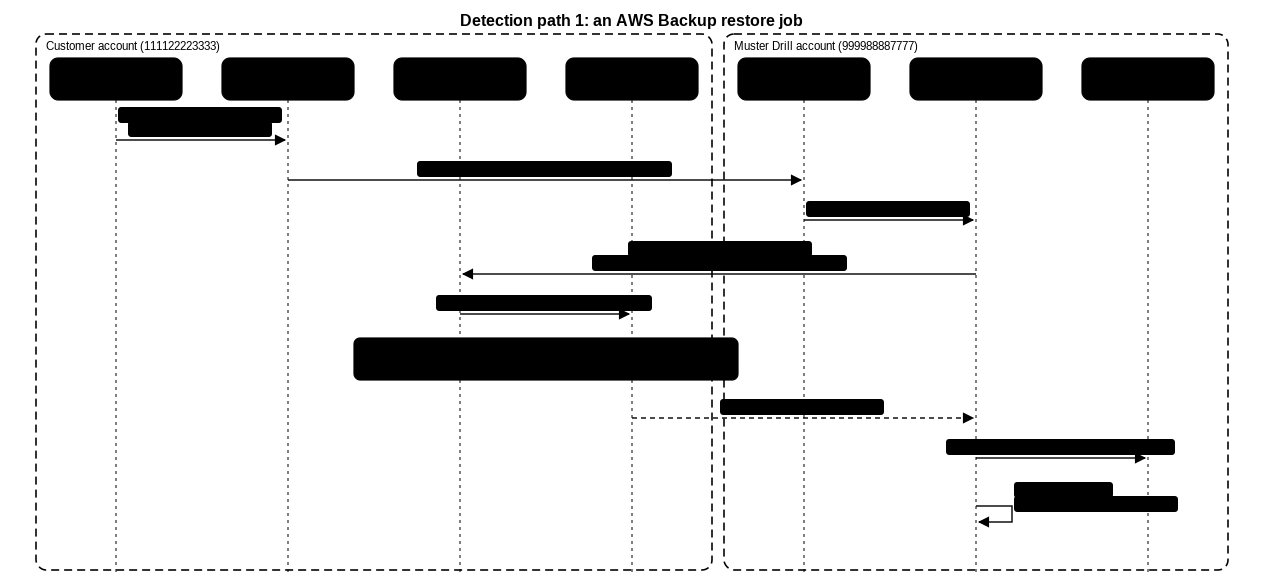
The event names the restored copy, the production resource it came from (also for copies in another region or account), the recovery point and the vault. Real restore events reached Muster Drill within about a second of AWS sending them. AWS itself sends the event some time after the restore: in my tests about 8 minutes after a database restore, and about a minute for a server.
2. AWS Backup restore testing
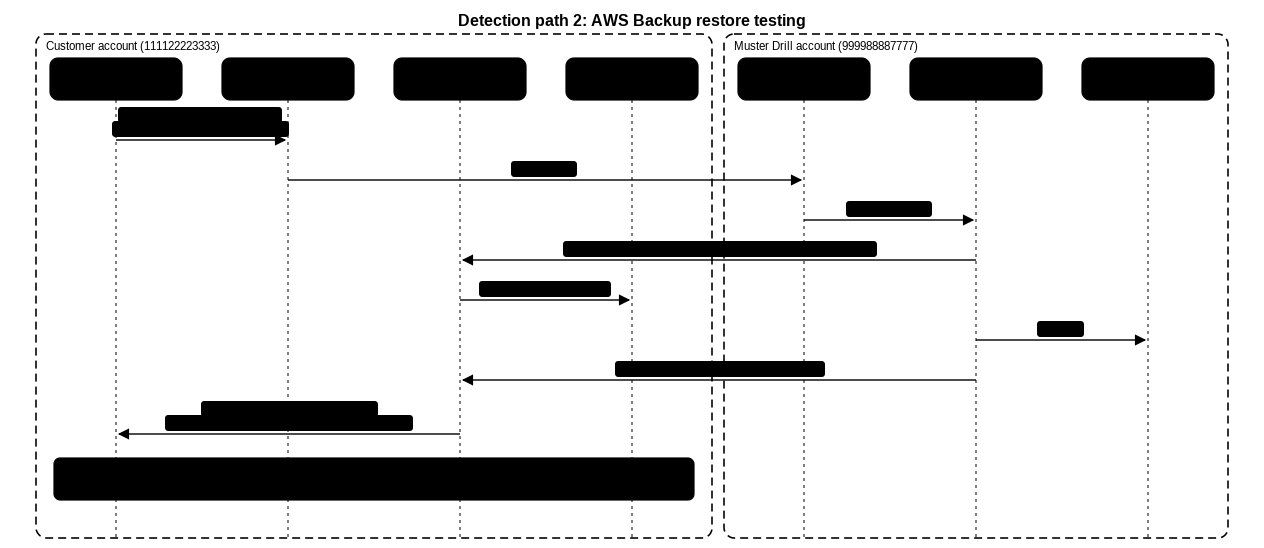
Checked like a restore job, then the result is written back. More below.
3. Your vendor’s create calls in CloudTrail
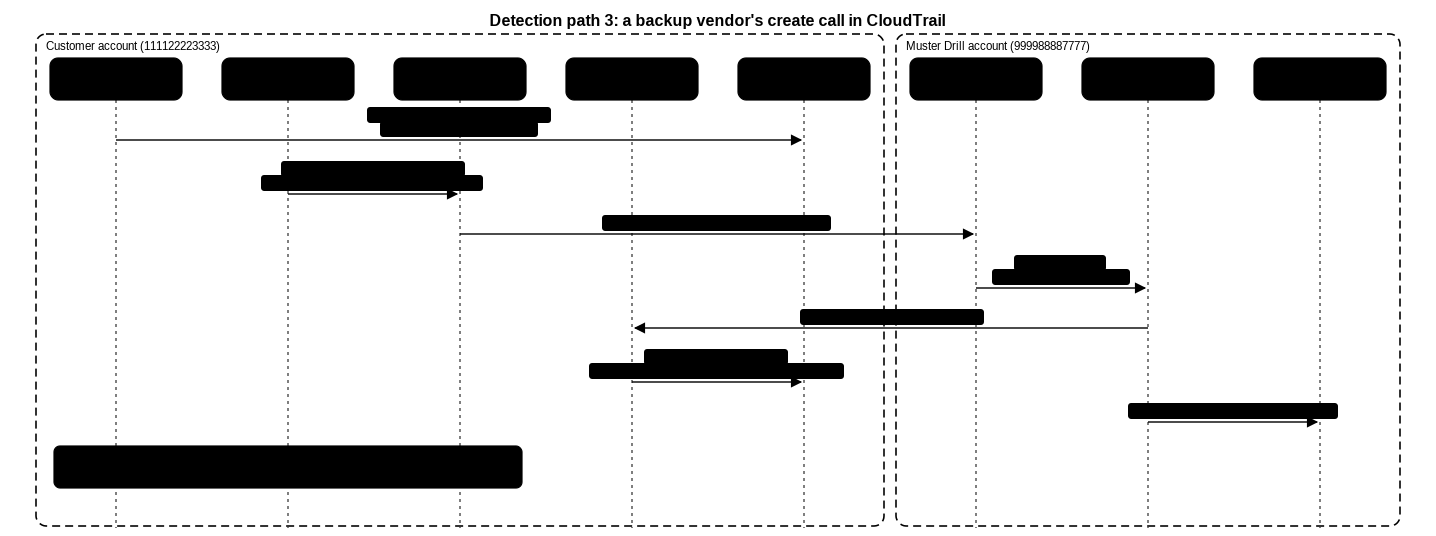
- The connector’s rule matches the vendor role’s ARN exactly as IAM shows it. In a test, an ARN given without its path matched nothing.
- The same role usually makes backups too, so Muster Drill confirms that the calls add up to a restore before it checks the copy.
- The whole CloudTrail record is forwarded: EventBridge cannot trim an event sent to another account. What it holds.
- Tested through the hosted service: a test role standing in for a vendor created a volume and launched a server; both calls reached Muster Drill within seconds, and the copies were checked through the EBS reader and the server script. No backup vendor’s product has been run yet; each vendor is confirmed against a customer’s real restore first.
4. The tag sweep
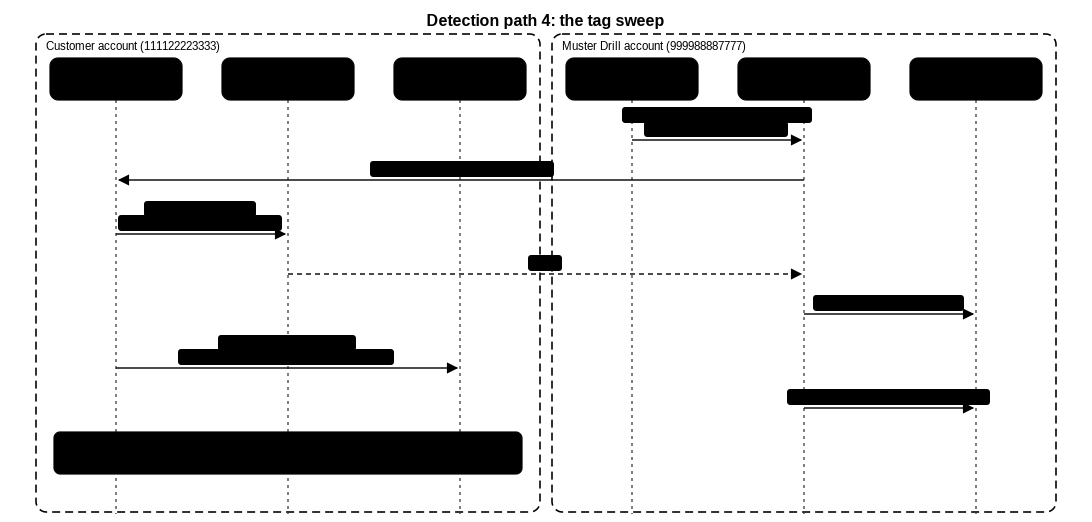
The sweep is also the safety net for events that never arrive. Instances that are terminated or shutting down are left out.
5. A check you ask for
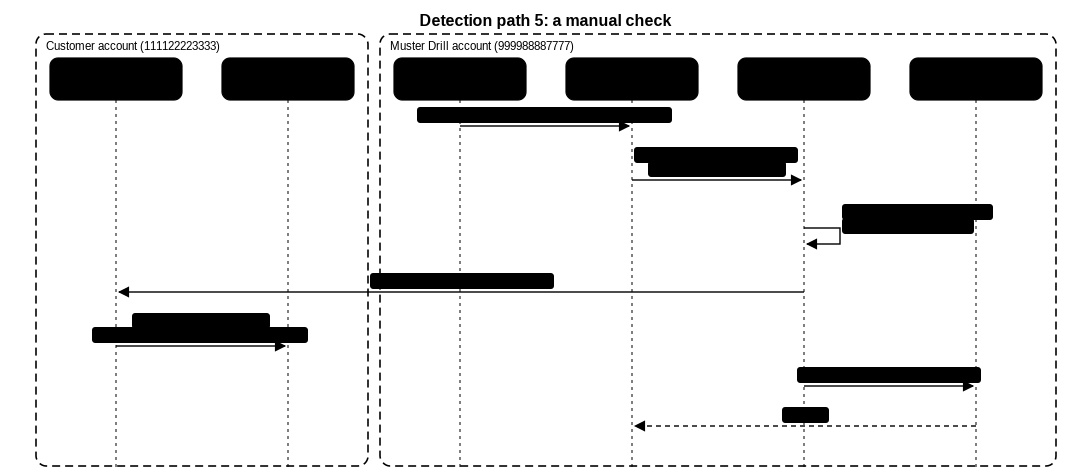
Your organisation comes from your sign-in, never from the request. An ARN outside your connected accounts and regions is refused before anything runs. The check runs in the background, and its result appears in the day’s report.
AWS sends AWS Backup events on a best-effort basis, and in my tests a CloudTrail trail that had only just started missed some calls; calls made 8 minutes or more after it started were always delivered. An event sent before your account is connected is dropped, not delivered later. The tag sweep is the safety net.
Waiting until the copy is ready
A restored copy is often still starting when it is found. Muster Drill records it as waiting and looks again with describe calls every few minutes. Your servers’ state changes are not forwarded, so how long a copy took to become usable is measured to the nearest of those looks. If the copy is not ready within the wait limit (60 minutes), the drill records a ready failure that says what was still pending.
What each result means
| Status | Meaning |
|---|---|
| Pass | The check found what it expected. |
| Warn | Something differs or could not be confirmed, such as a size that differs from the source or a database that could not be reached. |
| Fail | The copy is not usable as a recovery, such as missing tables, an unmounted disk or a key that cannot be used. |
| Pending | Still waiting for the copy, or for a snapshot the EBS reader took. |
| Skipped | The check did not apply or was not turned on, or your connector does not allow it yet. The message says why. |
A drill’s overall result is its worst check, in this order: Fail, Warn, Pending, Pass. A skipped check never hides a result.
Comparing with the last drill
- The first drill of a source has nothing to compare with, so it sets the baseline.
- Later drills compare their totals, such as blocks written or total rows, with that baseline. A drop of more than 10% is a warning.
- A drill with a failure or a baseline warning does not replace the baseline, so one bad restore cannot become the new normal.
- Only restores found through AWS Backup’s event are compared, because only that event says which production resource the copy came from. For the vendor role, the tag sweep and manual checks, there is no baseline yet.
Writing back to AWS Backup restore tests
- After a restore test’s copy is checked, the checker assumes
MusterDrill-Validateand callsPutRestoreValidationResultwith SUCCESSFUL or FAILED and a short message. A warning counts as SUCCESSFUL, with the warnings in the message. It then shows in the AWS Backup console. - It must happen within the plan’s validation window. A copy that becomes ready late is written when it is checked, if the window is still open.
EnableValidateis on by default. With it off, restore tests stay “validating” until the window ends, then time out.- AWS Backup deletes the restored copy when the window ends. Muster Drill never deletes it.
- Restore tests start within the start window you set: in my tests, 8 to 36 minutes after the scheduled time.
Reports in the portal
Sign in to the portal to see the days that have a report and read one in the page. Each daily report lists every resource checked that day, worst first, with how it was found, each check, timings and numbers. Download it as HTML to read or share, or as JSON. Reports are not copied into a bucket of yours in this version. How long results are kept.
Other regions and recovery accounts
- More regions: list every region where restores land when you add the account in the portal; in this version they can’t be changed afterwards. Deploy the connector once with
CreateRoles=trueand every region inAllowedRegions, then once more in each other region withCreateRoles=false. Events from every region go to Muster Drill’s bus in ap-south-1: tested from us-east-1. - A recovery account you copy backups into: add it in the portal as another AWS account, with its own ExternalId, and deploy the connector there. It needs no access to your production account.
- AWS Backup’s event names the production resource, so the drill history and baseline follow it. Settings are compared only within one account and region; for a copy elsewhere, the size or settings check is skipped and says why. This was tested through the hosted service for volumes and servers copied to a second region and to a recovery account, and with the checker inside the accounts for databases too.
- In connector 1.0.1 the RDS probe and the EBS reader run only in a stack in ap-south-1. More in Setting up.
What has run through the hosted service
The checks themselves were built and tested with the checker inside my own test accounts, and the hosted checker runs the same code. Through the hosted service and a real connector, these have run end to end: AWS Backup restore jobs and restore testing write-back (a volume and a Linux server), EBS layers 0 and 1 through the EBS reader, EC2 Linux layers 0 and 1 through the connector’s document, RDS PostgreSQL, MySQL and MariaDB layers 0 to 3 through the probe, a vendor’s calls through CloudTrail, copies in a second region and in a recovery account, the tag sweep and manual checks. Windows servers and Aurora have run only with the checker inside the account. Nothing has run in a customer’s account yet.